
Have you ever received a call from an unknown number and wondered who was on the other end? This is one of the most common problems that people face today. Every day, thousands of people in Pakistan receive calls from unknown numbers, and they do not know if the call is important or not. Some calls might be from your friends or family members, while others could be from telemarketers, scammers, or spam callers.
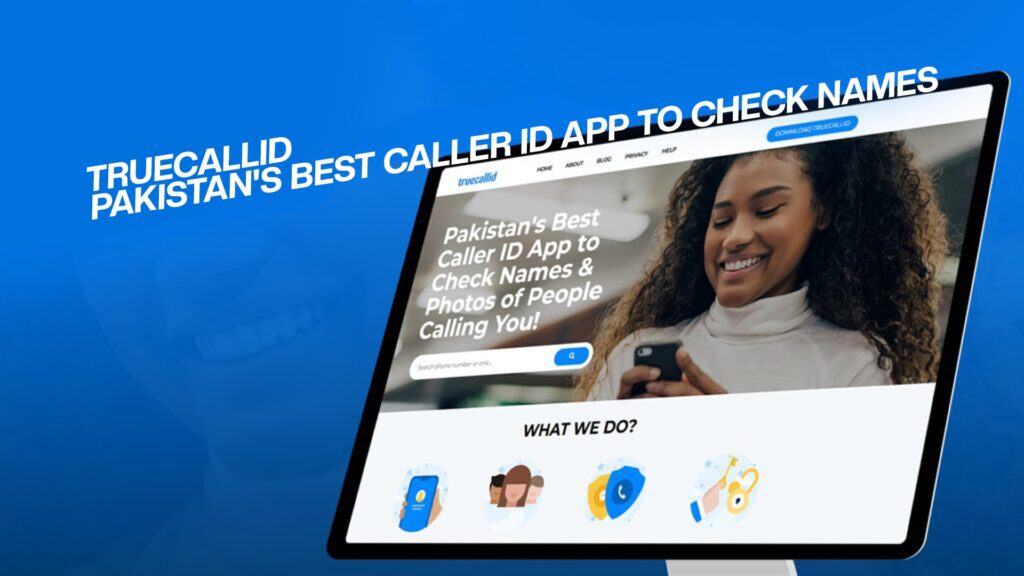
This is where TrueCallID comes in. TrueCallID is Pakistan’s best caller ID app that helps you see the name and photo of the person who is calling you. It is a simple, easy-to-use app that works on your smartphone and gives you all the information you need before you pick up the phone.
In this article, we will tell you everything you need to know about TrueCallID. We will explain what it does, how it works, why you need it, and how it can help keep you safe. Whether you are a busy professional, a student, or a homemaker, this app is perfect for you.
What is TrueCallID?
TrueCallID is a caller identification application that is specially designed for people in Pakistan. It is an app that you can download on your smartphone, whether you use an Android phone or an iPhone. Once you install TrueCallID, it will automatically show you the name and photo of the person calling you before you answer the call.
The app is free to download and use. It works by creating a database of phone numbers and the names of people associated with those numbers. When someone calls you, the app checks its database and shows you who is calling. If the number is already in your phone contacts, it will show their name and photo directly from your phone’s contact list.
TrueCallID is not just a simple caller ID app. It is much more than that. It also helps you identify spam calls, telemarketers, and scammers who are trying to cheat you. The app has a special feature that alerts you if the call is coming from a known scammer or spam number.
Why Do You Need TrueCallID?
There are many reasons why you should use TrueCallID. Let us tell you about the most important ones.
Protection From Scammers and Fraud
Pakistan has become a target for phone scammers and fraudsters. These criminals call innocent people and try to trick them into giving away their personal information or money. They might pretend to be from your bank, your employer, or a government agency. By the time you realize it is a scam, it is often too late.
With TrueCallID, you can protect yourself from these scammers. The app will show you who is calling and alert you if it is a known fraud number. You can then decide whether you want to answer the call or not.
Save Time and Stay Focused
If you receive many calls every day, you know how distracting it can be. You might be in the middle of important work when your phone rings, and you do not know if it is an important call or just a telemarketer trying to sell you something. With TrueCallID, you can see who is calling before you pick up. This helps you decide if you need to answer the call right now or if you can call them back later.
Keep Your Privacy Safe
Privacy is very important in today’s world. When you use TrueCallID, you have more control over your phone. You can see who is calling, and you can block numbers that you do not want to talk to. This way, spammers and telemarketers cannot bother you anymore.
Connect With Friends and Family
Sometimes, your friends and family members might call from a number that you do not recognize. Maybe they are using a new phone or a different phone number. With TrueCallID, you can see their name and photo right away, so you know it is someone you care about.
How Does TrueCallID Work?
TrueCallID is very easy to use. Here is how it works:
Download and Install the App
The first step is to download TrueCallID from your phone’s app store. If you have an Android phone, you can find it in the Google Play Store. If you have an iPhone, you can find it in the Apple App Store. The app is completely free to download.
Once you download the app, you need to install it on your phone. This usually takes just a few seconds. The app is light and does not take up much space on your phone.
Set Up Your Profile
After you install TrueCallID, you need to set up your profile. This is very simple. You just need to give the app permission to access your phone contacts. The app needs this permission so it can show you the names and photos of people from your contact list when they call you.
Start Using the App
Once your profile is set up, the app is ready to use. You do not need to do anything else. The app will run in the background on your phone. Whenever someone calls you, the app will automatically show you their name and photo on your phone screen before you answer the call.
If you receive a call from an unknown number, TrueCallID will try to identify the caller from its database. If the number is registered with TrueCallID, the app will show you the person’s name and photo. If it is not in the database, the app will show “Unknown Caller.”
Block and Report Numbers
If you receive a call from a scammer or someone you do not want to talk to, you can block that number using TrueCallID. Once you block a number, the person cannot call you again from that number. You can also report the number to TrueCallID so that the app can alert other users about this number.
Amazing Features of TrueCallID
TrueCallID has many great features that make it the best caller ID app in Pakistan. Let us tell you about some of the most important ones.
Instant Caller Identification
The most important feature of TrueCallID is that it instantly shows you the name and photo of the person calling you. You do not have to wait or search in your contacts. The information appears on your screen automatically when the call comes in.
Spam and Scam Detection
TrueCallID has a special system that detects spam calls and scam calls. If someone is calling you from a known spam or scam number, the app will alert you. This helps you avoid talking to scammers and spam callers.
Call Blocking
You can easily block any number that you do not want to receive calls from. Once you block a number, all calls from that number will be rejected automatically. The person will not be able to reach you, and your phone will not ring.
Call Recording
TrueCallID allows you to record calls if you need to. This is very useful if you want to keep a record of important calls. Call recording is very simple with this app. You can turn recording on or off with just one tap.
Contact Management
TrueCallID helps you manage your contacts better. You can organize your contacts into different groups. You can also add notes to your contacts so you remember important information about them.
Phonebook Backup
If you are worried about losing your contacts, TrueCallID can backup all your phone numbers for you. This means that even if something happens to your phone, you will not lose your important contact information.
Do Not Disturb Mode
TrueCallID has a “Do Not Disturb” mode that you can use when you do not want to be disturbed. You can turn on this mode, and your phone will not ring or vibrate. All calls will be silenced, and you can check them later.
Benefits of Using TrueCallID in Pakistan
TrueCallID is especially useful for people in Pakistan because of the specific challenges that Pakistani phone users face.
Protection From Phone Scams
Phone scamming is a big problem in Pakistan. Many people have lost money because of phone scams. TrueCallID helps you identify these scammers before you fall victim to their tricks.
Works With All Pakistani Networks
TrueCallID works with all major Pakistani phone networks including Jazz, Zong, Telenor, and Ufone. No matter which network you use, TrueCallID will work perfectly on your phone.
Simple and Easy to Use
TrueCallID is designed to be very simple and easy to use. You do not need to be tech-savvy to use this app. Anyone can use it, whether they are young or old. The interface is very clear, and the instructions are easy to follow.
Fast and Reliable
TrueCallID is very fast. It shows you the caller information in just a fraction of a second. The app is also very reliable and does not crash or slow down your phone. It works smoothly in the background without bothering you.
Completely Free
The best thing about TrueCallID is that it is completely free to use. You do not have to pay any money to download it or use it. There are no hidden charges or subscription fees.
Regular Updates
TrueCallID is constantly updated with new features and improvements. The developers of the app are always working to make it better. They regularly add new numbers to the spam and scam database to keep you safe from the latest scams.
How to Download TrueCallID
Downloading TrueCallID is very simple. Here are the steps you need to follow:
For Android Users
If you have an Android phone, follow these steps to download TrueCallID:
- Open the Google Play Store app on your phone.
- In the search bar at the top, type “TrueCallID.”
- Find the official TrueCallID app in the search results.
- Tap on the app name to open the app page.
- Click the “Install” button.
- Wait for the app to download and install on your phone.
- Once installed, you can open the app and start using it.
For iPhone Users
If you have an iPhone, follow these steps to download TrueCallID:
- Open the Apple App Store on your iPhone.
- Tap the “Search” icon at the bottom of the screen.
- In the search bar, type “TrueCallID.”
- Find the official TrueCallID app in the search results.
- Tap the app name to open the app page.
- Click the “Get” button.
- Authenticate with Face ID, Touch ID, or your Apple ID password.
- Wait for the app to download and install.
- Once installed, open the app and follow the setup instructions.
Visiting the Website
You can also learn more about TrueCallID by visiting the official website. Here you will find more information about the app, see how it works, and read reviews from other users. You can also download the app from the website if you prefer.
Safety and Security With TrueCallID
Your safety and security are very important. TrueCallID takes privacy and security very seriously. The app uses the latest technology to protect your information and keep your data safe.
Your Data is Safe
When you use TrueCallID, your personal information is completely safe. The app does not share your data with anyone without your permission. All your information is encrypted and protected.
Private and Confidential
Your phone calls are private. TrueCallID does not record your calls unless you choose to. You have complete control over your privacy.
No Spam or Advertisements
Unlike many other free apps, TrueCallID does not fill your screen with spam or unwanted advertisements. You can use the app without being bothered by annoying ads.
Tips for Using TrueCallID Effectively
To get the most out of TrueCallID, here are some useful tips:
Keep Your App Updated
Always make sure you have the latest version of TrueCallID installed on your phone. Updates include new features and improved security. You should update the app as soon as new versions are available.
Report Spam and Scam Numbers
If you receive a call from a spam or scam number, report it to TrueCallID. This helps the app improve its database and protects other users from the same scammers.
Use the Blocking Feature
Do not hesitate to block numbers that bother you. Use the blocking feature generously to stop unwanted calls from reaching you.
Keep Your Contacts Updated
Make sure your contacts have the correct names and photos. This way, TrueCallID can show you accurate information when they call.
Review Blocked Calls
Sometimes you might accidentally block someone important. Regularly review your blocked list to make sure you have not blocked anyone you need to talk to.
Yes, TrueCallID is 100% free to download and use with no hidden charges, subscription fees, or payments required. You can use all the main features like caller identification, blocking unwanted numbers, and reporting spam calls completely free forever.
No, TrueCallID is a light and efficient app that will not slow down your phone or drain your battery because it uses minimal resources and runs smoothly in the background. The app only uses battery when needed and actually helps save battery by blocking spam and scam calls.
Your personal information is completely safe with TrueCallID because the app uses strong encryption and does not share your data with anyone without your permission. Your phone number, contacts, and call history stay on your phone and are protected with modern security technology.
Yes, TrueCallID works perfectly with all major Pakistani phone networks including Jazz, Zong, Telenor, and Ufone, no matter which network you use or which city you are in. The app is designed to work on all phones as long as you have an active internet connection.
Yes, you can easily block any unwanted caller with TrueCallID, and you can unblock them anytime by going to your blocked list and selecting the unblock option. You have complete control over who can call you and can manage your blocked list whenever you want.
Conclusion: Get TrueCallID Today
In today’s world, knowing who is calling you before you answer is more important than ever. TrueCallID is Pakistan’s best caller ID app that helps you stay safe, save time, and protect your privacy. It is free, easy to use, and works perfectly on all smartphones.
Whether you want to protect yourself from scammers, avoid unwanted sales calls, or simply know who is calling you, TrueCallID is the perfect solution. Millions of people in Pakistan are already using TrueCallID to stay safe and connected with the people they care about.
Do not wait any longer. Download TrueCallID today and experience the best caller identification service in Pakistan. Your safety is important, and TrueCallID is here to help you stay protected. Get TrueCallID now and never be surprised by an unknown caller again.