
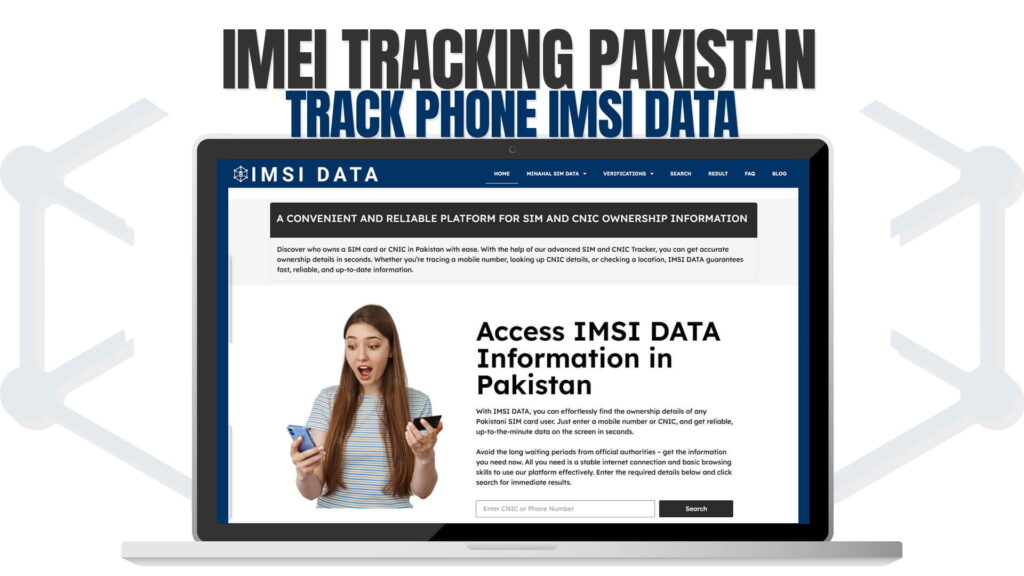
Mobile phone theft is one of the most common crimes in Pakistan. Every day, thousands of people lose their phones to snatchers and thieves. In crowded places like markets, bus stops, and public transport, mobile snatching has become a regular occurrence. When someone loses their phone, they do not just lose a device. They also lose their personal data, contacts, photos, bank access, and digital identity. This is why having a way to track and recover your phone is very important.
IMEI tracking is one of the most effective methods to locate and recover a lost or stolen phone. Every mobile phone has a unique IMEI (International Mobile Equipment Identity) number that works like a digital fingerprint. This number can be used to track the phone, block it from being used, and even help law enforcement agencies recover it.
In this comprehensive guide, we will explain everything about IMEI tracking in Pakistan, how you can use IMSI Data to track phones using IMEI numbers, and how to protect your mobile phone from theft and misuse. We will also cover PTA device registration, mobile security tips, and frequently asked questions about IMEI tracking.
What is an IMEI Number?
IMEI stands for International Mobile Equipment Identity. It is a unique 15-digit number that is assigned to every mobile phone during manufacturing. No two phones in the world have the same IMEI number. Think of it as a national identity card for your phone. Just like your CNIC uniquely identifies you, the IMEI uniquely identifies your phone.
The IMEI number serves several important purposes. It helps telecom networks identify your device, it allows authorities to track lost or stolen phones, it enables PTA to block stolen devices, and it helps verify whether a phone is genuine or counterfeit. Every time your phone connects to a mobile network, the network reads the IMEI number. This means the IMEI can be used to track the phone’s location and usage.
You can find your IMEI number in several ways. The easiest method is to dial *#06# on your phone. The IMEI number will appear on your screen immediately. You can also find it in your phone settings under the About Phone section. Additionally, the IMEI is usually printed on the phone’s original box and on a sticker inside the battery compartment of phones with removable batteries.
It is very important to note down your IMEI number and keep it in a safe place. If your phone is ever stolen, you will need this number to report the theft and have the phone blocked. Many people do not know their IMEI number and face difficulties when they try to report a stolen phone.
How Does IMEI Tracking Work?
IMEI tracking works by using the unique IMEI number to identify and locate a mobile phone on cellular networks. When a phone is turned on and connects to a mobile network, the network registers the phone’s IMEI number. This registration happens automatically every time the phone connects to a different cell tower.
Law enforcement agencies and telecom companies can use this information to determine the approximate location of a phone. When a phone is reported as stolen, the IMEI number is added to a blacklist. Once the phone is blacklisted, any attempt to use it with any SIM card on any network in Pakistan will be blocked. The phone essentially becomes useless for the thief.
The PTA maintains a centralized database called DIRBS (Device Identification, Registration, and Blocking System) that tracks IMEI numbers across all telecom networks in Pakistan. This system allows the PTA to block stolen phones, identify counterfeit devices, and ensure that only approved devices are used on Pakistani networks.
Online platforms like IMSI Data’s IMEI Tracking service allow users to check the status of a phone using its IMEI number. You can find out if a phone is registered, blocked, or reported as stolen. This information is invaluable when buying a used phone or when trying to recover a stolen device.
How to Use IMSI Data for IMEI Tracking
IMSI Data provides a powerful and easy to use IMEI tracking tool that anyone can use. Here is how you can check a phone’s IMEI status step by step.
First, you need to know the IMEI number of the phone you want to check. If it is your own phone, simply dial *#06# to get the number. If you are buying a used phone, ask the seller for the IMEI number before making the purchase.
Next, open your web browser and go to the IMSI Data IMEI tracking page. You will see a clean and simple interface with a search field where you can enter the IMEI number.
Enter the 15-digit IMEI number in the search field and click the search button. The system will process your request and search through its database to find information about the phone.
Within seconds, the results will appear on your screen. The information may include the phone’s brand and model, the registration status with PTA, whether the phone has been reported as stolen, whether it is blocked on Pakistani networks, and other relevant details about the device.
Based on the results, you can make informed decisions. If you are buying a used phone and the IMEI check shows it is stolen or blocked, you should not buy it. If you have lost your phone and want to check its status, the IMEI check will tell you whether it has been blocked by PTA.
Why IMEI Tracking is Important for Every Phone User
IMEI tracking is not just useful for recovering stolen phones. It serves many important purposes that benefit phone users, buyers, and sellers across Pakistan.
Recovering Stolen Phones: When you report a stolen phone to the police with the IMEI number, they can work with telecom companies to track the device. Many phones have been successfully recovered in Pakistan thanks to IMEI tracking. The PTA’s DIRBS system makes it possible to block stolen phones across all networks, making it harder for thieves to profit from their crime.
Verifying Used Phones Before Purchase: The used phone market in Pakistan is huge. Many people buy second-hand phones to save money. However, there is always a risk of buying a stolen phone. By checking the IMEI number on IMSI Data before making a purchase, you can verify that the phone is legitimate and not reported as stolen. This simple check can save you from legal trouble and financial loss.
Identifying Counterfeit Phones: There are many counterfeit and fake phones in the Pakistani market. These phones look like branded devices but are made with cheap materials and poor quality components. By checking the IMEI number, you can verify whether a phone is genuine or counterfeit. Genuine phones have valid IMEI numbers registered in international databases, while counterfeit phones often have invalid or duplicate IMEI numbers.
PTA Device Registration: The PTA requires all mobile phones used in Pakistan to be registered through the DIRBS system. Phones that are not registered may be blocked after a certain period. By checking your phone’s IMEI on platforms like IMSI Data, you can verify whether your phone is properly registered and take action if it is not.
Insurance Claims: If your phone is insured and it gets stolen, the insurance company will ask for the IMEI number to process your claim. Having the IMEI number readily available speeds up the claim process and increases the chances of getting your insurance money.
Understanding PTA’s DIRBS System
The Device Identification, Registration, and Blocking System (DIRBS) is PTA’s centralized system for managing mobile devices in Pakistan. It was launched to address several issues including the use of stolen phones, counterfeit devices, and unregistered phones. Understanding how DIRBS works is important for every phone user in Pakistan.
DIRBS works by maintaining a comprehensive database of IMEI numbers for all phones used on Pakistani networks. When a phone connects to any network, its IMEI is checked against the DIRBS database. If the phone is found to be stolen, counterfeit, or unregistered, it may be blocked from accessing the network.
The system categorizes phones into three groups. The first is compliant devices, which are phones that are properly registered, genuine, and not reported as stolen. These phones work normally on all networks. The second is non-compliant devices, which are phones that are not registered with DIRBS. These phones receive warnings and may be blocked if not registered within a specified period. The third is blocked devices, which are phones that have been reported as stolen, are counterfeit, or have duplicate IMEI numbers. These phones cannot be used on any network in Pakistan.
To register a phone with DIRBS, you can use the PTA’s online portal or visit a franchise. Phones purchased from authorized dealers are usually automatically registered. However, phones brought from abroad need to be registered manually and may require payment of customs duties.
The IMSI Data platform at imsidata.com/imei-tracking helps you check whether your phone is compliant with DIRBS. This is especially useful for people who have bought phones from abroad or from the used market and want to make sure their device will not be blocked.
Mobile Phone Security Tips for Pakistani Users
While IMEI tracking is a powerful tool for recovering stolen phones, prevention is always better than cure. Here are detailed security tips that every mobile phone user in Pakistan should follow to protect their device and personal data.
Record Your IMEI Number: This is the most important step that most people overlook. Dial *#06# right now and write down your IMEI number. Store it in a safe place separate from your phone. You can email it to yourself, write it in a notebook, or save it in a secure cloud document. If your phone is ever stolen, having the IMEI ready will make the reporting process much faster.
Use Strong Screen Locks: Always use a strong password, PIN, pattern, or biometric lock on your phone. This prevents thieves from accessing your personal data if they steal your phone. Avoid using simple patterns or PINs like 1234 or 0000. The longer and more complex your lock is, the harder it will be for anyone to break into your phone.
Enable Find My Device: Both Android and iPhone have built-in features that help you locate your phone. On Android, it is called Find My Device. On iPhone, it is called Find My iPhone. Make sure this feature is enabled on your phone. If your phone is stolen, you can use this feature to see its location on a map, make it ring, lock it remotely, or erase all data.
Regular Backups: Regularly backup your phone’s data to a cloud service or computer. This ensures that even if your phone is stolen, you do not lose your photos, contacts, messages, and other important data. Both Android and iPhone offer automatic cloud backup features.
Be Aware of Your Surroundings: When using your phone in public places, be aware of the people around you. Avoid using your phone while walking on busy streets or standing at bus stops. Phone snatching is very common in these situations. Keep your phone in a secure pocket or bag when not in use.
Install Security Apps: There are several security apps available that can help protect your phone. These apps can track your phone’s location, take photos of the thief, sound alarms, and even send you the location via SMS if your SIM is changed. Some popular options include Cerberus, Prey, and Lookout.
Avoid Public WiFi: Public WiFi networks are often insecure and can be used by hackers to access your personal data. Avoid connecting to unknown WiFi networks, especially when doing online banking or accessing sensitive accounts. If you must use public WiFi, use a VPN (Virtual Private Network) for added security.
What to Do When Your Phone is Stolen
If your phone is stolen, it is important to act quickly. The faster you take action, the higher the chances of recovering your phone and protecting your personal data. Here is a step by step guide on what to do.
Immediately call your telecom provider and ask them to block your SIM card. This prevents the thief from using your SIM to make calls, send messages, or access your mobile banking services. You can call the customer service number of your network from any phone.
Use Find My Device or Find My iPhone to try to locate your phone. If the phone is still on and connected to the internet, you may be able to see its location on a map. You can also use this feature to lock the phone remotely or erase all data to prevent the thief from accessing your personal information.
File a report with the police. Provide them with your phone’s IMEI number, the make and model of the phone, and details about when and where the phone was stolen. The police can use the IMEI number to track the phone through telecom networks.
Report the stolen phone to PTA. You can do this through the PTA website or by visiting a PTA office. Once the phone is reported, PTA will add its IMEI to the blacklist, blocking it from being used on any network in Pakistan. You can also check the status of your reported phone on IMSI Data’s IMEI tracking page.
Change the passwords of all accounts that were logged in on your stolen phone. This includes your email, social media accounts, banking apps, and any other service that could be accessed through the phone. Enable two-factor authentication wherever possible for added security.
Contact your bank and inform them about the stolen phone, especially if you had mobile banking apps installed. The bank can put temporary holds on your accounts and monitor for suspicious activity.
The Connection Between SIM Ownership and IMEI Tracking
SIM ownership verification and IMEI tracking are closely related aspects of mobile security. Together, they provide a comprehensive picture of a phone and its user. Understanding this connection helps you better protect yourself and your device.
When a SIM card is inserted into a phone, both the SIM’s IMSI (International Mobile Subscriber Identity) number and the phone’s IMEI number are registered on the network. This means the telecom company knows which SIM is being used in which phone at any given time. If a stolen phone is used with a new SIM, the IMEI number will still be flagged, leading to the phone being blocked and potentially helping in its recovery.
IMSI Data provides both SIM ownership lookup and IMEI tracking services on a single platform. You can check SIM ownership details at imsidata.com/search and track IMEI numbers at imsidata.com/imei-tracking. This combined approach makes IMSI Data a one-stop solution for all your mobile verification needs.
For those who have recently purchased new SIM cards, the Fresh Number Details feature provides information about newly registered numbers. This is helpful for verifying that your new SIM is properly registered and linked to the correct phone.
A Complete Guide to Buying Used Phones Safely in Pakistan
The used phone market in Pakistan is very active. Many people prefer buying second-hand phones because they are more affordable. However, buying a used phone comes with risks. The phone might be stolen, counterfeit, or blocked by PTA. Here is a complete guide to help you buy a used phone safely.
Before you even meet the seller, ask for the phone’s IMEI number. A genuine seller should have no problem sharing this information. Once you have the IMEI number, check it on IMSI Data’s IMEI tracking page. If the phone comes back as stolen or blocked, do not buy it regardless of how good the deal seems.
When you meet the seller, verify the IMEI number by dialing *#06# on the phone. The number that appears should match the IMEI on the phone’s box and the number the seller gave you. If the numbers do not match, this is a red flag.
Check the phone’s physical condition carefully. Look for signs of water damage, screen cracks, speaker problems, and camera issues. Test all buttons and ports. Make sure the touchscreen works properly in all areas. Test the WiFi, Bluetooth, and mobile data.
Verify the phone’s PTA registration status. An unregistered phone may be blocked in the future, leaving you with a useless device. You can check the PTA status using the IMEI number on the IMSI Data platform.
Ask the seller for the original purchase receipt and box. A legitimate seller should have these items. The receipt proves legal ownership, and the box provides the original IMEI number for verification.
Make sure the phone’s factory reset protection is disabled. On Android phones, make sure the previous owner has removed their Google account. On iPhones, make sure iCloud lock is disabled. If these protections are still active, you will not be able to set up the phone as your own.
Common IMEI Fraud and Scams to Watch Out For
As IMEI tracking becomes more common, criminals have developed various scams related to IMEI numbers. Being aware of these scams can help you protect yourself.
IMEI Tampering: Some criminals try to change the IMEI number of stolen phones. They use special software to reprogram the phone with a different IMEI number. This makes it harder to detect that the phone is stolen. While IMEI tampering is illegal in Pakistan, it still happens. This is why it is important to buy phones from trusted sources and always verify the IMEI before purchasing.
Fake IMEI Unblocking Services: You may come across people or websites offering to unblock phones that have been blocked by PTA. These services are usually scams. They take your money but cannot actually unblock the phone because the PTA database is centrally controlled and cannot be accessed by unauthorized parties.
Cloned IMEI Phones: Counterfeit phones are sometimes manufactured with IMEI numbers copied from genuine phones. This means multiple phones may have the same IMEI number. Using such a phone can lead to connectivity issues and legal problems. Always verify the IMEI using a trusted platform like IMSI Data before buying.
Phishing for IMEI Numbers: Some scammers may contact you pretending to be from PTA or a telecom company, asking for your phone’s IMEI number. They may claim it is needed for a security update or network upgrade. Never share your IMEI number with unknown callers or unverified sources.
Helpful Resources for Mobile Security in Pakistan
Staying informed about mobile security is important for every phone user. Here are some helpful resources that provide valuable information about IMEI tracking, SIM ownership, and mobile security in Pakistan.
For detailed information about SIM details and mobile verification, SIM Details provides comprehensive guides and articles. HamariWeb Info is another excellent platform that covers telecom topics in Pakistan, including SIM registration, mobile security, and PTA regulations.
For SIM ownership specific information, SIM Ownership Net and SIM Ownership Org offer focused content on SIM ownership verification and management. SIM Databases is also a useful resource for understanding how SIM databases work and how they are used for verification purposes.
The Future of IMEI Tracking and Mobile Security in Pakistan
The landscape of mobile security in Pakistan is rapidly evolving. The government and technology platforms are continuously working to improve IMEI tracking systems and make mobile phone usage safer for everyone.
One major development is the improvement of the DIRBS system. The PTA is working on making the system more comprehensive and efficient. This includes faster processing of stolen phone reports, better integration with international IMEI databases, and improved detection of counterfeit devices.
Artificial intelligence and machine learning are expected to play a bigger role in mobile security. These technologies can analyze patterns in phone theft, predict high-risk areas, and automatically flag suspicious IMEI activities. This proactive approach could help prevent phone theft before it happens.
The integration of eSIM technology will also impact IMEI tracking. With eSIMs, users can switch carriers without changing physical SIM cards. The IMEI tracking systems will need to adapt to handle this new technology effectively.
IMSI Data will continue to evolve their services to match these changes. With improved data accuracy, faster results, and new features, IMSI Data is committed to providing the best possible IMEI tracking and SIM verification experience for Pakistani users.
The easiest way to find your IMEI number is to dial *#06# on your phone. The 15-digit IMEI number will appear on your screen. You can also find it in your phone’s settings under About Phone, on the original phone box, or inside the battery compartment on phones with removable batteries. Note it down and keep it safe.
Yes, a stolen phone can be tracked using its IMEI number. When you report the theft to the police and PTA with the IMEI number, they can track the phone through telecom networks. Additionally, you can check the current status of the phone using IMSI Data’s IMEI tracking feature at imsidata.com/imei-tracking to see if it has been blocked or is still active.
When PTA blocks a phone’s IMEI number, the phone cannot be used with any SIM card on any mobile network in Pakistan. The phone essentially becomes useless for making calls, sending messages, or using mobile data. This blocking is done through the DIRBS system and applies across all telecom operators in the country.
Buying a used phone can be safe if you take proper precautions. Always check the IMEI number on IMSI Data before purchasing. Verify that the phone is not stolen or blocked by PTA. Ask for the original receipt and box. Check the phone thoroughly for physical damage and functionality issues. Buy from trusted sellers and marketplaces.
Yes, IMSI Data is a comprehensive platform that offers both SIM ownership verification and IMEI tracking services. You can check SIM ownership details at imsidata.com/search and track IMEI numbers at imsidata.com/imei-tracking. The platform also offers fresh number details at imsidata.com/fresh-number-details for checking newly registered numbers.
Conclusion
IMEI tracking is a vital tool for mobile phone security in Pakistan. With the high rate of phone theft in the country, knowing your IMEI number and understanding how to use IMEI tracking can make the difference between losing your phone forever and having a chance to recover it. The IMSI Data platform provides a convenient and reliable way to check IMEI status, verify SIM ownership, and ensure your phone is properly registered with PTA.
We encourage every phone user in Pakistan to take mobile security seriously. Note down your IMEI number today, enable Find My Device on your phone, and use platforms like IMSI Data regularly to verify your phone’s status. Prevention and awareness are your best defenses against phone theft and fraud. Stay safe and protect your digital life.